Cat breed identifier help
Cat Breed Identifier: Help and How to Use It
How to use the free picture-based cat breed identifier: what it does, your first upload in 4 steps, what every button does, the free photo quality check and the €5.99 full report, limits of photo identification, troubleshooting, and common questions.
What is the Cat Breed Identifier?
It is a photo tool that tells you which breeds your cat might be. You upload one clear photo. The AI checks 40+ visual markers: coat pattern, face shape, ear shape and set, eye color, body type, tail. It compares those markers against known breed standards and returns breed clues with confidence ranges.
The results are honest, not guaranteed. The tool reads what is visible in the photo. It cannot detect DNA, pedigree, or health markers. Most pet cats are mixed breeds, and the report says so instead of forcing a single answer.
The identifier lives at furriq.com/identify-cat-by-photo. The same tool is embedded on the homepage. You can use it without an account, and your photo is not stored.
Your First Scan (4 steps)
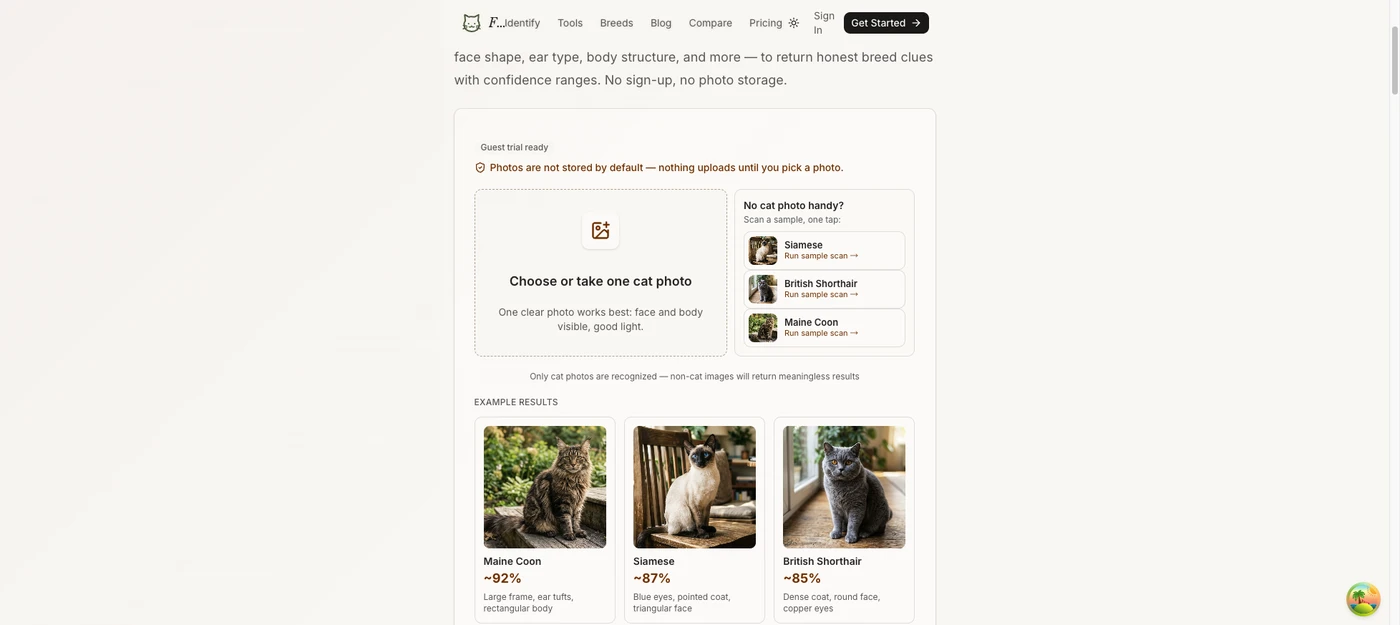
- Open the tool. Go to the homepage or the identifier page. Look for the "No sign-up needed" badge above the upload area. A privacy note sits right above it: photos are not stored, and nothing uploads until you pick a photo.
- Pick or take a photo. Click the dashed box that says "Choose or take one cat photo" (or one of the three sample cats: Siamese, British Shorthair, Maine Coon). On desktop you can also paste a picture from the clipboard with Cmd+V or Ctrl+V. Use a JPG, PNG, or WebP under 8MB. iPhone HEIC photos must be converted to JPEG or PNG first.
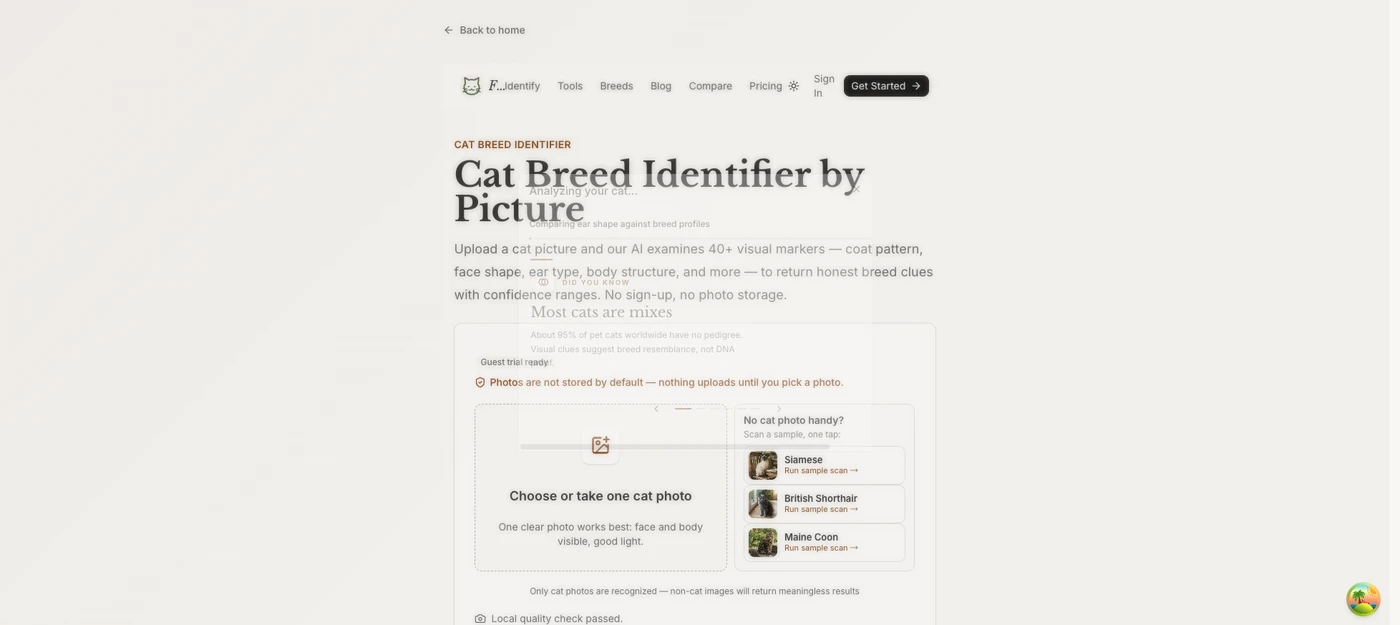
- Wait for the check and scan. The browser first checks photo quality locally: message reads "Analyzing photo quality locally in your browser..." Then the photo uploads and the AI scan starts automatically. There is no confirm button. A progress bar fills while the AI lists what it is checking: ear shape, coat pattern, eye color and face shape, body and tail clues.
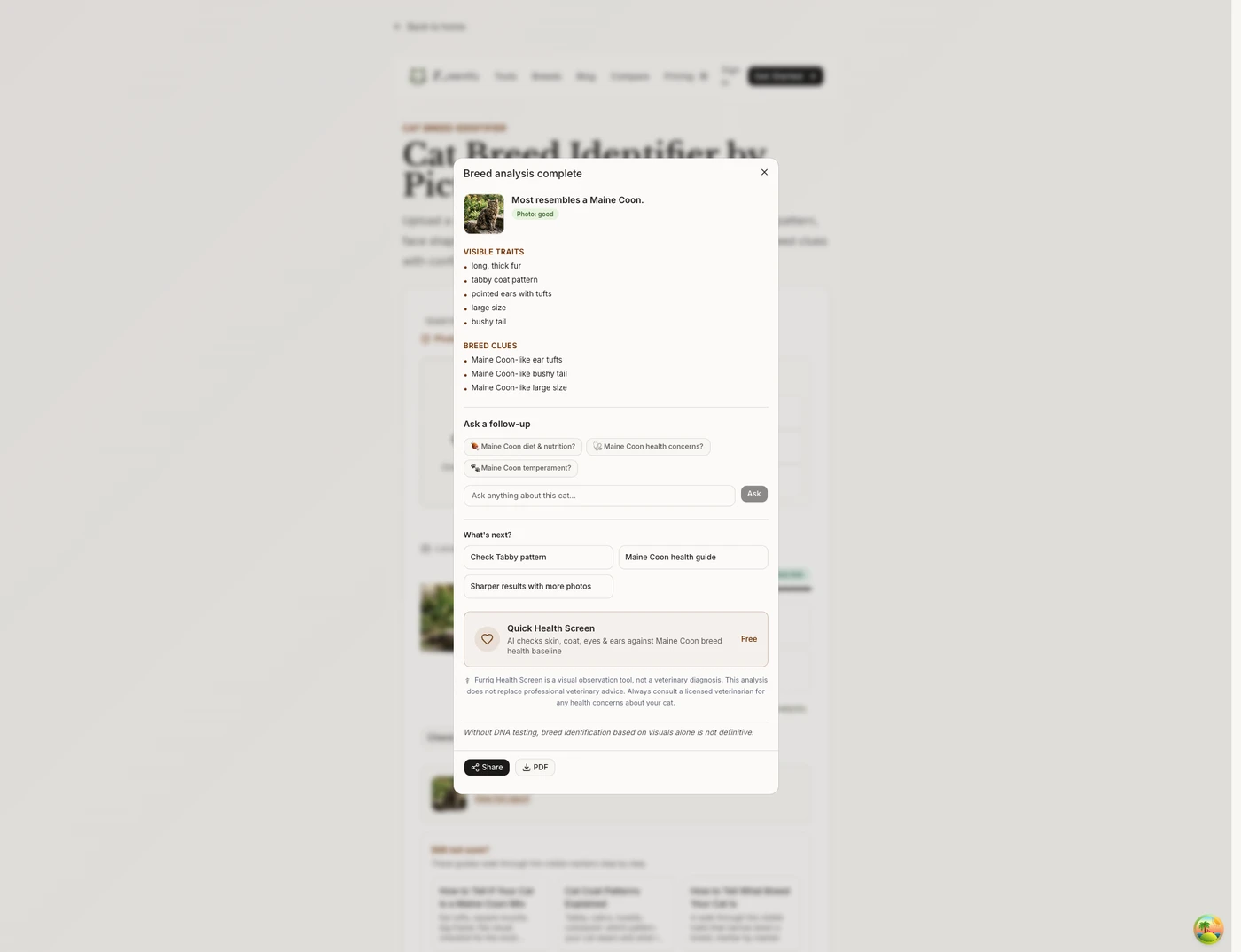
- Read your report. A dialog opens with the result: a summary of the closest breed match, the visible traits found, the breed clues, and an uncertainty note. You can ask follow-up questions, then save the report as PDF, share a result card, or copy a link.
Every Button and Block on the Tool
| Element | What it does |
|---|---|
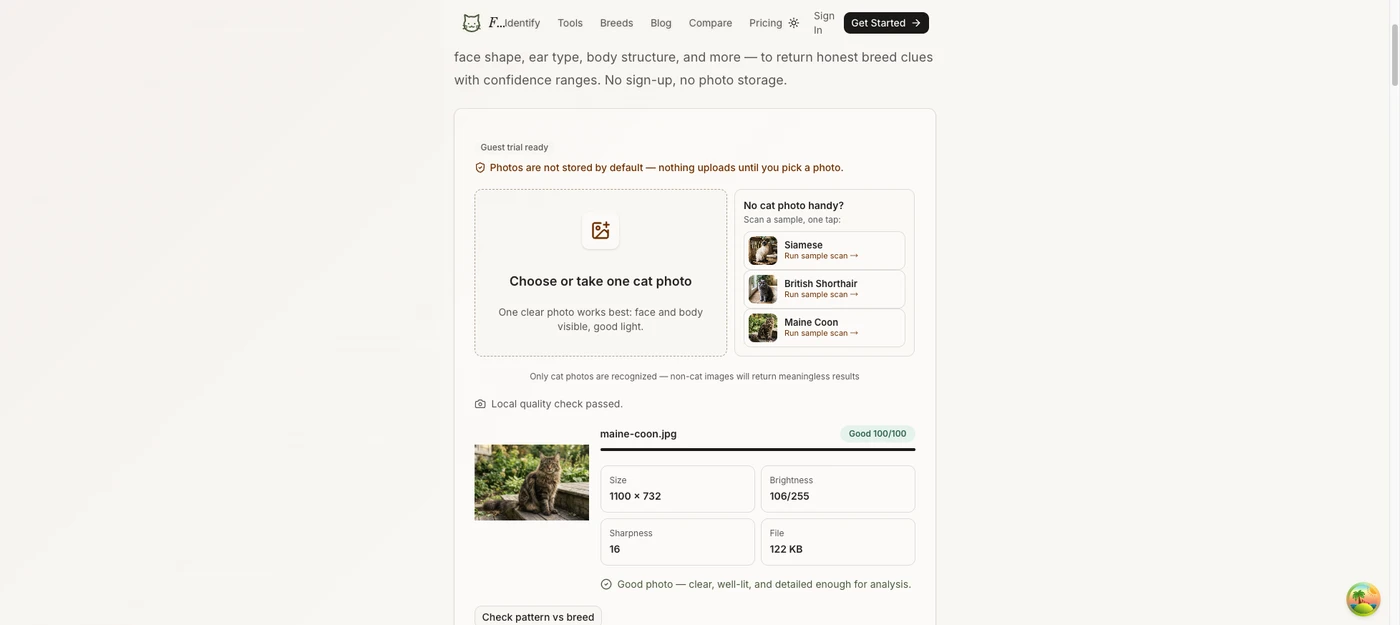
| No sign-up needed badge | Shows you can upload and run the quality check without signing in. |
| Photos are not stored note | Privacy statement. Nothing uploads until you pick a photo. |
| Choose or take one cat photo | The upload box. Opens the file picker. Accepts image files. |
| Sample photos (Siamese / British Shorthair / Maine Coon) | One-tap demo scans. Same pipeline as a real upload, good for testing without your own photo. |
| "Only cat photos are recognized" note | A reminder that non-cat images return meaningless results. |
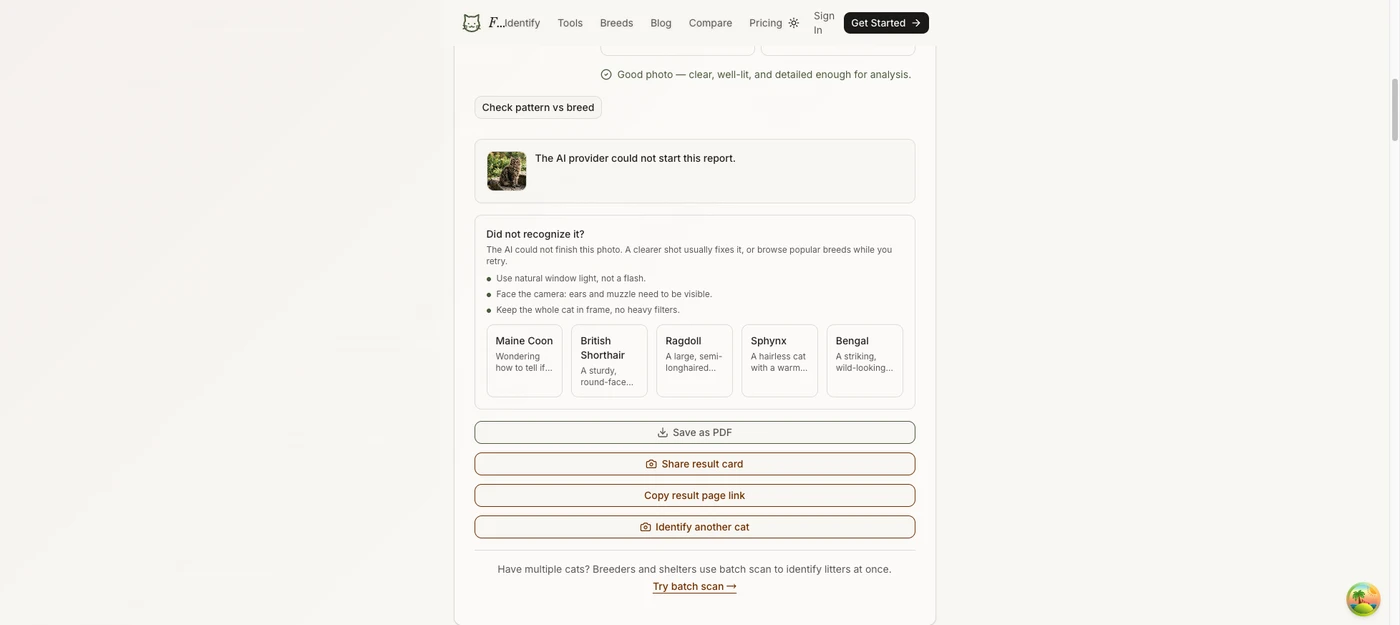
| Local quality score card | After pick, shows the photo thumbnail, tone badge (Good / Usable / Needs work), score out of 100, and metrics: Size, Brightness, Sharpness, File size. Warning notes list what to fix (dark, blurry, low contrast, extreme crop). |
| Progress bar + rotating step text | Shows scan progress to 90% while the AI works. |
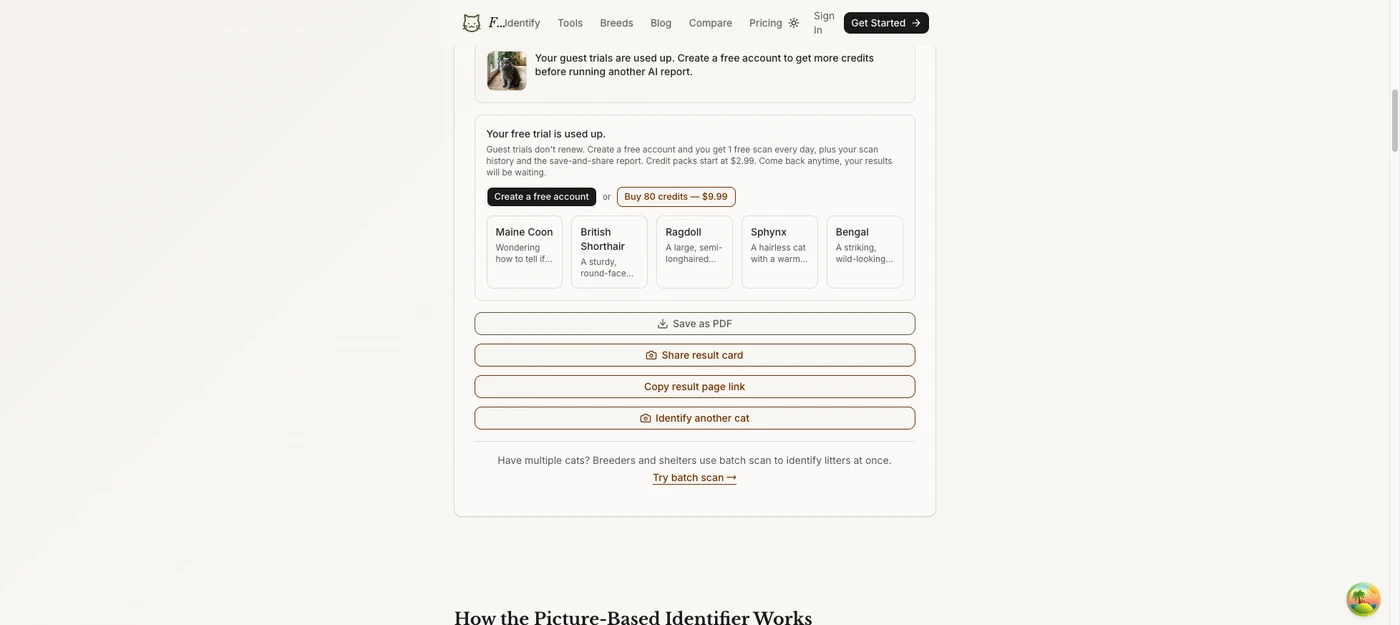
| View full report | Reopens the result dialog with the complete report. |
| Check pattern vs breed | Jumps to the pattern-vs-breed tool to explore coat pattern separately. |
| Save as PDF | Downloads a formatted PDF report: breed match, visible traits, clues, similar breeds, tips, limitations. File name is like furriq-maine-coon-report.pdf. |
| Download image / Save or share | Exports the result as a PNG. A paid report exports the whole report (every clue, trait, photo note and tip); a locked card exports the teaser card. On a phone the label is Save or share image and the share sheet opens, with Save Image inside it. |
| Copy result page link | Copies a public URL at furriq.com/r/<id>. Anyone with the link sees the text result; the photo is not stored. |
| Identify another cat | Clears the current photo and report, resets the tool for a new scan. |
| Try batch scan | Link to the batch scanner for breeders and shelters with multiple cats. |
What the Results Mean
The report opens as a dialog titled "Breed analysis complete" and contains these blocks, in order:
- Photo + summary. Your photo thumbnail, the AI summary (for example "most resembles a Maine Coon"), and a photo quality badge (good / usable / poor).
- Visible traits. A list of the physical features the AI detected in the photo. Each trait is a clue, not a conclusion.
- Breed clues. Lines that link a visible trait to a breed known for that feature. Several clues pointing at the same breed raise confidence.
- Ask a follow-up. A small chat. Preset chips appear for diet, health concerns, and temperament (these adapt to the matched breed when one is found). You can also type your own question, up to 500 characters. Enter sends it.
- What's next? Cards that appear when a breed matched: a breed guide, a "breed vs look-alike" comparison page, a pattern-vs-breed check, and a multi-photo consensus tool for sharper results.
- Health screening block. Shown when the breed data includes health notes. Links to deeper guides, disabled until a scan succeeds.
- Uncertainty note. The italic fine print at the very bottom. It states the limits of photo-based identification. It is placed last on purpose so the conclusion reads first.
- Action bar. A sticky footer with Share and PDF buttons, always visible while the dialog is open.
The honesty rules are enforced in the product: reports explain likely visual clues and uncertainty. They do not claim DNA-level proof, purebred certainty, or medical advice.
Limits and Honest Answers
- Visual clues only. The AI reads what is visible in the picture. No genetic traits, no internal health markers, no ancestry.
- Mixed breeds are the norm. Most shelter and stray cats are domestic shorthair or longhair mixes. The AI shows the closest visual matches and may not find a single definitive breed.
- Look-alikes exist. Maine Coon vs Norwegian Forest Cat, Russian Blue vs Chartreux. Some breeds share nearly identical features. The AI flags these pairs instead of guessing between them.
- Kittens change. Features develop with age. The tool is most accurate with adult cats, one year and older.
- Photo quality sets the ceiling. Dark, blurry, or heavily filtered pictures give less reliable results. The tool checks quality before scanning and warns you when the photo is not good enough.
A picture identifier is for curiosity and exploration. For health screening, pedigree verification, or exact percentage ancestry, DNA testing is the only option. The tool says this plainly. It costs $80 to $150 and takes two to four weeks, versus seconds for a scan.
Pricing and Accounts
| Situation | What happens |
|---|---|
| Guest, uploading a photo | Free. No sign-up. The local photo quality check runs in your browser. |
| Anyone, first full report | "Unlock your full report." The full AI report is a one-time €5.99 purchase for everyone — no trial scan, no daily free credit, no credit packs. |
| Registered user | Same as guests: upload and the quality check are free; each report is €5.99 one-time. Your account keeps your report history and saved reports. |
| Out of report credit | "Unlock your full report." Buy another report for €5.99 — no subscription, credits never expire. |
One full AI report costs €5.99 once and covers the whole analysis: breed verdict, why-likely reasoning, 40+ visual markers, health and care notes, and follow-up questions. Report history and saved reports stay with your account after you sign in. Between scans there is a short cooldown (2.5 seconds) to stop automated flooding, and a daily cap applies per network and globally site-wide.
If Something Goes Wrong
- "The photo looks too flat or plain": the browser judged the image as a flat color or blank picture. Choose a clearer, well-lit photo of the cat.
- HEIC error: iPhone photos are not decodable in most browsers. Convert to JPEG or PNG first.
- File too large: keep it under 8MB. Convert to JPEG to shrink it.
- "The AI provider could not finish": your photo is fine, the AI service hiccupped. The dialog says so, offers a "Try again" button, photo tips, and a link to the photo quality coach.
- Bad local score (Needs work): the report still runs, but read it with more doubt. Fix light, focus, and framing, then rescan.